What Is Data Roaming? How It Works While Travelling Abroad
Data roaming allows your phone, tablet, or other compatible device to use mobile internet through a supported network when travelling outside your mobile provider's normal coverage area. It is an important part of international connectivity, whether you are using an existing mobile line or a prepaid travel eSIM or SIM Card.
Understanding how data roaming works can help you avoid unexpected charges, choose the right travel connectivity option, and configure your device correctly before departure.
One important detail often causes confusion: Data Roaming may need to be enabled on your travel eSIM or SIM Card even when you are using a prepaid Data Plan. The roaming setting itself does not determine the cost. Charges depend on the mobile service and Data Plan being used.
What Is Data Roaming?
Data roaming is the ability to connect to a mobile data network outside your provider's normal network coverage area. During international travel, this generally means connecting through a supported mobile network in the country you are visiting.
For example, when you travel from Canada to France, your mobile device may connect to a French mobile network through an arrangement between that network and your mobile service provider.
This connection allows your device to use mobile internet for everyday travel activities, including:
- Maps, navigation, and transportation apps
- Email, web browsing, and messaging
- Hotel, airline, and travel bookings
- Internet-based voice and video calls
- Business applications and cloud services
- Hotspot sharing on compatible devices
Data roaming specifically concerns mobile internet access. Traditional cellular voice calls and SMS roaming are separate services with their own availability and charging rules.
How Does Data Roaming Work Internationally?
Mobile service providers establish agreements with network operators in other countries. These agreements allow compatible devices to connect to supported networks when travelling outside their usual coverage areas.
The general process works as follows:
- You arrive at your destination. Your device searches for available mobile networks.
- A supported network is identified. Your SIM Card or eSIM can connect to a network permitted by your mobile service provider.
- Your device establishes a connection. With the required settings enabled, mobile internet becomes available through that network.
- Your mobile service determines usage. Data consumption is governed by the plan, coverage, allowances, and charging rules associated with the selected SIM Card or eSIM.
Network availability and performance can vary by destination, location, compatible device, partner network, congestion, and local conditions. A device cannot necessarily connect to every mobile network it detects.
Does Turning On Data Roaming Always Cost Money?
No. Enabling the Data Roaming setting does not automatically create an additional charge. The charges associated with using mobile data depend on the service provider and the Data Plan assigned to the mobile line.
Some mobile services charge for international roaming based on daily access fees, usage allowances, or the amount of data consumed. Others include roaming in an existing service arrangement.
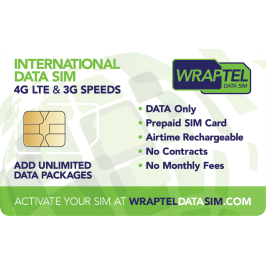
A prepaid international data service works differently. With WraptelDataSIM, you purchase an eligible Data Plan for your destination and use its included mobile data through supported partner networks.
The important distinction is:
- Data Roaming setting: Allows the selected mobile line to use supported roaming networks.
- Data Plan: Determines where the service can be used, the available data, and the validity period.
- Mobile-data line: Determines which SIM Card or eSIM provides your device's internet connection.
When travelling with more than one active mobile line, review each line's settings and charging rules separately.
Why Does a Travel eSIM or SIM Card Need Data Roaming?
A travel eSIM or international SIM Card may use roaming agreements to connect to local partner networks in supported countries.
With WraptelDataSIM, the reusable eSIM or physical SIM Card provides the connectivity product, while the selected prepaid Data Plan determines which destinations are covered.
Because the service connects through supported partner networks, Data Roaming should be enabled on the WraptelDataSIM line when required for the connection.
This does not mean that your device must use another mobile line's roaming service. On a compatible Dual SIM device, you can select WraptelDataSIM for mobile data while managing the settings of your other line independently.
WraptelDataSIM offers prepaid Unlimited and Fixed Data Plans for supported destinations. Plan availability, coverage, and data allowances depend on the specific option selected.
Data Roaming Settings for iPhone and Android
Before travelling, confirm which SIM Card or eSIM will provide mobile data at your destination. The settings vary slightly between device manufacturers and software versions.
Data Roaming on iPhone
On a compatible iPhone:
- Open Settings.
- Select Cellular or Mobile Data.
- If you have multiple SIMs or eSIMs, select your WraptelDataSIM line.
- Open Cellular Data Options or the equivalent menu.
- Enable Data Roaming for the WraptelDataSIM line as required.
- Return to the Cellular Data menu and select WraptelDataSIM as the line providing mobile data.
If you use Dual SIM and want to prevent your phone from switching mobile-data service to another line, review the Allow Cellular Data Switching setting.
Data Roaming on Android
On a compatible Android phone:
- Open Settings.
- Select Connections, Network & Internet, or the equivalent menu.
- Open SIM Manager, SIMs, or Mobile Networks.
- Select WraptelDataSIM as your preferred mobile-data SIM where supported.
- Enable Mobile Data and Data Roaming for the travel line as required.
- Review the mobile-data settings for any additional SIM or eSIM on the device.
Samsung, Google Pixel, and other Android devices may use different menu names. Some devices also apply roaming controls differently when multiple SIMs are installed, so check the manufacturer's instructions for your model.
For additional connection settings, APN information, and supported network instructions, see the WraptelDataSIM Operating Instructions.
Using Data Roaming With Dual SIM

Dual SIM allows compatible phones to manage two mobile lines, such as an existing personal or business line and a separate travel eSIM.
This can be convenient when you want to retain access to your regular phone number while using prepaid mobile data during an international trip.
Before travelling, review the following:
- Your existing mobile line: If you do not want it to provide roaming data abroad, disable Data Roaming for that line where supported.
- Your WraptelDataSIM travel line: Select it for mobile data and enable the roaming settings required to connect to supported partner networks.
- Automatic data switching: Review any option that allows your device to switch mobile data between the two lines.
- Calls and SMS: If you leave another mobile line active, its provider may apply separate international charges for cellular calls or messages.
WraptelDataSIM provides data-only connectivity, so traditional cellular voice minutes and SMS are not included. Internet-based messaging and calling applications can be used through the active mobile-data connection.
For more information, read How to Use Dual SIM with eSIM for International Travel.
What Happens to Data Roaming When You Cross a Border?

When travelling between countries, your device may disconnect from one mobile network and establish a new connection through a supported partner network in the next destination.
If you are using a WraptelDataSIM regional or World Data Plan that includes both countries, you can generally continue using the same installed eSIM or physical SIM Card without purchasing a new one.
For example, a traveller moving between France, Germany, and Italy can continue using an eligible Europe Data Plan when all three destinations are included in the selected coverage option.
However, not every regional Data Plan includes every country within that region. Always verify the exact country list before departure, especially when travelling through several destinations.
If your next destination is outside your active Data Plan's coverage area, another eligible Data Plan may be needed.
Your device may also display a different network name or mobile network technology after crossing a border. Connection quality depends on the supported network and conditions in the new location.
When Does a Prepaid Travel Data Plan Start?
With WraptelDataSIM, purchasing a Data Plan and installing an eSIM do not automatically begin the Data Plan's usage period.
Data Plan validity begins when the assigned plan first connects to a supported mobile network in a covered destination.
Once the Data Plan begins, its validity period continues even when the SIM Card or eSIM is temporarily not being used.
This means you can prepare your reusable eSIM before departure, add your eligible Data Plan in advance, and begin using it when you connect at your supported travel destination.
For complete Data Plan validity, Fair Usage, and expiry rules, see the Fair Usage, Activation & Expiry Policy.
How to Avoid Unexpected Roaming Charges Abroad
Understanding Data Roaming is useful, but preventing unexpected charges also requires knowing which mobile line is providing your connection and what its provider charges.
Before departure, confirm your destination coverage, review the roaming settings of each active line, and make sure your travel Data Plan is ready when you need it.
You can also review your device's data usage controls, limit unnecessary background downloads, and prepare offline maps or travel documents before leaving.
For a more detailed guide to managing mobile-data charges and travel settings, see How to Avoid Unexpected Mobile Data and Roaming Charges Abroad.
Frequently Asked Questions
Does enabling Data Roaming automatically mean extra charges?
No. Enabling Data Roaming allows a mobile line to use supported roaming networks. Charges depend on the provider, destination, and Data Plan assigned to that line. A prepaid travel Data Plan provides mobile data according to its purchased coverage, allowances, and validity rules.
Why do I need Data Roaming enabled on my travel eSIM?
A travel eSIM may connect through supported partner networks in your destination. Data Roaming must be enabled on the travel line when required for these connections. Make sure you select the correct eSIM for mobile data.
Should I turn off Data Roaming on my other SIM Card?
If you want to avoid using another mobile provider's roaming data abroad, you can disable Data Roaming on that line where supported and select your travel eSIM or SIM Card for mobile data. Check your other provider's terms for any separate voice or SMS charges.
Can I use the same travel eSIM or SIM Card in multiple countries?
Yes, when the active Data Plan includes those destinations. WraptelDataSIM provides reusable eSIM and physical SIM Card options that support eligible country, regional, and World Data Plans. Coverage depends on the specific plan selected.
Stay Connected While Travelling Internationally
Data roaming is a normal part of how international mobile connectivity works. Understanding the connection between your device settings, mobile line, supported networks, and Data Plan can make travelling with mobile data easier.
With WraptelDataSIM, you can use a reusable prepaid data-only eSIM or physical SIM Card with eligible Data Plans for supported destinations across 150+ countries. Hotspot sharing is supported on compatible devices, with no contracts, subscriptions, or monthly fees.
If you are preparing for an international trip, explore the International Data eSIM for a reusable digital option, or the International Data SIM Card for a reusable physical SIM Card.