How to Avoid Unexpected Mobile Data and Roaming Charges Abroad
Unexpected mobile data and roaming charges abroad can occur when a phone connects to a mobile network while travelling, particularly if its settings allow an existing mobile line to use international roaming services.
Whether you use an iPhone or Android device, reviewing your mobile-data settings before departure can help you control which SIM or eSIM is responsible for your internet connection during international travel.
This guide explains why unexpected roaming charges happen, which settings to review, how Dual SIM devices manage mobile data, and how prepaid international data options can help you stay connected while travelling.
Why Do Unexpected Roaming Charges Happen?
International roaming occurs when a mobile line uses another operator's network outside its usual service area. Depending on the agreement with your mobile provider, charges may apply to mobile data, traditional calls, SMS, or other services.
Charges can arise even when you are not intentionally using your phone for internet access.
Common situations include:
- Automatic mobile-data usage: Apps continue exchanging information in the background.
- Cloud synchronisation: Photos, documents, and application data are uploaded or downloaded.
- Software updates: Devices or applications download updates over a cellular connection.
- Automatic data switching: A Dual SIM phone may use another enabled line for mobile data under certain conditions.
- Voice and messaging activity: Traditional cellular calls and SMS may be billed separately from mobile data.
- Unfamiliar roaming terms: International roaming allowances and charges can vary by destination and service.
The first precaution is to understand the international services associated with any mobile line you plan to keep enabled while travelling.
Check Your Roaming Settings Before Travelling
Before departure, review your phone's mobile-data configuration and identify which line you intend to use for internet access abroad.
If you are using a prepaid travel eSIM or physical Data SIM Card, it is particularly important to distinguish the travel data line from any other mobile line remaining on the device.
Check the following:
- Default mobile-data line: Confirm which SIM or eSIM your phone uses for internet access.
- Data Roaming: Review this setting separately for each mobile line where supported.
- Automatic data switching: Check whether your device can switch mobile data to another line.
- Calls and SMS: Understand which line handles traditional cellular calls and messages.
- Background data: Review automatic updates, cloud backups, and other activities that may use mobile data.
If you do not intend to use a particular mobile line abroad, consider disabling it entirely or asking its provider about available international roaming restrictions.
Turning off Data Roaming on that line can help prevent roaming-data usage, but it does not necessarily prevent charges associated with traditional calls, SMS, or other carrier services.
How to Avoid Roaming Charges on an iPhone
iPhones provide settings for controlling cellular data, roaming, and Dual SIM behaviour. The available options depend on your iPhone model, iOS version, and mobile service.
1. Select the Correct Mobile Data Line
If you use a travel eSIM alongside another mobile line:
- Open Settings.
- Tap Cellular or Mobile Data.
- Open the Cellular Data or Mobile Data selection.
- Select your travel eSIM as the preferred mobile-data line.
- Review the Allow Cellular Data Switching option, if available.
If your goal is to keep mobile-data traffic on the travel eSIM, consider disabling automatic cellular-data switching.
This helps reduce the possibility of the iPhone choosing another enabled mobile line for data under certain circumstances.
2. Review Data Roaming for Each Line
Return to your iPhone's Cellular or Mobile Data settings and review the options for each installed mobile line.
Where the settings permit:
- Other mobile line: Turn off Data Roaming if you do not want that line to use roaming data.
- WraptelDataSIM travel eSIM: Enable Data Roaming when required to connect through supported partner networks in your covered destination.
This distinction matters. A travel eSIM may need Data Roaming enabled to provide its prepaid mobile-data service, even though you are intentionally preventing another line from using roaming data.
If you are not using the other mobile line for calls or messages during the trip, disabling that line entirely may provide a clearer separation.
3. Review Background Data and Low Data Mode
To manage background usage:
- Review which applications are permitted to use cellular data.
- Consider enabling Low Data Mode under the available cellular data options.
- Review Background App Refresh and automatic application updates.
- Check cloud photo backups and large file synchronisation settings.
- Review Wi-Fi Assist, if available, because it may use cellular data when Wi-Fi performance is poor.
These settings help manage data consumption. They are not substitutes for selecting the correct mobile-data line and controlling unwanted roaming.
How to Avoid Roaming Charges on Samsung and Android Phones
Android phones also provide controls for selecting a mobile-data SIM, enabling or disabling roaming, and managing background data.
The exact menu names vary across Samsung Galaxy, Google Pixel, and other Android devices.
1. Choose Your Preferred Mobile Data SIM
On many Samsung Galaxy devices:
- Open Settings.
- Go to Connections.
- Select SIM Manager.
- Find the preferred or primary SIM setting for Mobile data.
- Select your travel eSIM or SIM Card when it is the connection you intend to use.
On many Google Pixel devices, similar options are found under Settings > Network & internet > SIMs.
Check whether your phone provides an automatic data-switching or backup-data feature. If you do not want another line to use cellular data, review whether that option should be disabled.
2. Review Data Roaming
Find the Data Roaming or Roaming setting under the applicable mobile-network or SIM settings.
- Disable roaming data on a line you do not intend to use for international mobile internet.
- Enable Data Roaming for your WraptelDataSIM travel connection when required for supported partner-network access.
- Check that the correct SIM remains selected for mobile data.
Android settings can behave differently between devices and software versions. Review the manufacturer's instructions when a particular option is unavailable or unclear.
3. Use Data Saver and Usage Controls
Many Android phones provide Data Saver, background-data restrictions, and mobile-data usage monitoring.
Some devices also support user-defined data warnings or limits.
These features can be useful for managing an active prepaid Data Plan. However, device usage measurements may differ from those used by the mobile service provider for billing or plan allowances.
Using Dual SIM Without Unexpected Mobile Data Charges
A Dual SIM smartphone allows two eligible mobile lines to be available on one device. Depending on the phone, this may involve a physical SIM Card and an eSIM or two active eSIM profiles.
During international travel, a common arrangement is:
- Existing mobile line: Retained for traditional calls or SMS when needed.
- Travel eSIM: Selected for prepaid mobile data in supported destinations.
The important setting is which line the device actually uses for mobile data.
Even when a travel eSIM is selected, some phones offer automatic switching or call-related data features that may change how the device uses its available connections.
Before departure, review these settings and decide whether you need to keep the other mobile line enabled.
If you retain that line, remember that traditional cellular calls, SMS, and certain carrier services may still incur international charges according to the provider's terms.
The WraptelDataSIM International Data eSIM is data-only. It does not include a traditional telephone number, voice minutes, or SMS, although internet-based messaging and calling applications can use its mobile-data connection.
For detailed Dual SIM configuration guidance, see our Dual SIM with eSIM Travel Guide.
Why Does Data Roaming Need to Be Enabled on a Travel eSIM?
Travellers sometimes assume that enabling Data Roaming will always create unexpected charges.
However, the meaning of Data Roaming depends on which mobile service is being used.
International travel eSIMs often connect to supported mobile-network partners in the destination country. The phone may therefore require Data Roaming to be enabled for that travel eSIM to establish its prepaid mobile-data connection.
With WraptelDataSIM, an eligible prepaid Data Plan provides mobile-data access through supported partner networks in covered destinations.
Enabling Data Roaming on the WraptelDataSIM eSIM does not mean you must enable roaming on every other SIM or eSIM installed on your phone.
Review the settings for each line separately, confirm the destination is included in your selected Data Plan, and follow the applicable WraptelDataSIM operating instructions.
How Prepaid International Data Can Help Control Travel Costs
Using a prepaid travel eSIM or physical Data SIM Card gives you a defined mobile-data arrangement for your trip.
Rather than depending on an unfamiliar international roaming rate for general mobile internet use, you can select a prepaid Data Plan based on your destination, trip duration, and expected usage.
WraptelDataSIM provides two reusable connectivity options:
- International Data eSIM: A digital eSIM for unlocked, compatible devices.
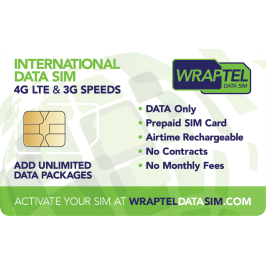
- International Data SIM Card: A physical SIM Card for supported unlocked phones, tablets, and compatible travel routers.
Both work with eligible prepaid Fixed and Unlimited Data Plans for international travel, with hotspot and tethering supported on compatible devices.
WraptelDataSIM offers coverage across 150+ countries, although each individual Data Plan has its own supported destinations.
There are no contracts, subscriptions, or monthly fees. The International Data eSIM has a $3.50 one-time activation fee.
Most eSIM activations complete within minutes during business hours; allow up to 12 hours. The activation QR code becomes available through your online account.
These prepaid options help you control your travel-data purchases. They do not prevent charges from another mobile provider if that provider's line remains active and uses billable services abroad.
Fixed or Unlimited Data: What Should You Check?
The type of prepaid Data Plan you choose also affects how you manage mobile-data usage.
Fixed Data Plans
Fixed Data Plans provide a selected high-speed data balance for the plan validity period.
They can be suitable when your expected mobile-data usage is reasonably predictable.
When the included balance is exhausted or the plan expires, the available prepaid data service ends unless another eligible Data Plan is added.
Unlimited Data Plans
Most WraptelDataSIM Unlimited Data Plans include a high-speed data allowance for each 24-hour period.
After that allowance is used, unlimited data remains available at managed speeds until the next 24-hour period begins, when high-speed data becomes available again.
The selected plan level, destination coverage, and validity period should be considered before purchasing.
For further information, review the Fair Usage, Activation & Expiry Policy.
Reduce Unnecessary Mobile Data Usage During Your Trip
Even when using a prepaid international Data Plan, managing background activity can help preserve high-speed data for the applications you need most.
Practical measures include:
- Download offline maps: Save relevant areas before travelling.
- Review automatic updates: Schedule large downloads for suitable Wi-Fi connections.
- Manage cloud backups: Check photo, video, and document synchronisation settings.
- Use offline content: Download entertainment and important travel documents when convenient.
- Monitor hotspot activity: Connected laptops and tablets may use data for updates and background transfers.
- Review device usage: Check the available mobile-data statistics when you want to understand which applications are consuming data.
These measures help you use your prepaid Data Plan more efficiently, particularly when it includes a Fixed GB balance or a daily high-speed allowance.
What About Wi-Fi While Travelling?
Wi-Fi can be useful for downloading large files, updating applications, and reducing mobile-data consumption.
However, remember that some smartphones can switch to cellular data when Wi-Fi becomes weak or disconnected, depending on the device's settings.
Confirm that the correct mobile line remains selected for cellular data so that an unexpected Wi-Fi interruption does not result in use of an unintended roaming connection.
For sensitive activities, use appropriate device security and trusted networks.
Our Travel Data and Privacy Guide explains additional precautions for internet use abroad.
Before You Travel: Roaming Charge Prevention Checklist
Review these points before departure:
- Confirm the international roaming terms for every mobile line you intend to keep active.
- Check that your device is unlocked and compatible with your intended travel eSIM or SIM Card.
- Activate and install your travel eSIM while you have a reliable internet connection.
- Choose a prepaid Data Plan covering all destinations where you need mobile data.
- Select the travel eSIM or SIM Card as your preferred mobile-data connection.
- Review Data Roaming separately for each mobile line.
- Disable unwanted automatic data switching where your device permits.
- Consider disabling another mobile line if you will not use it during the trip.
- Review automatic updates, cloud synchronisation, and hotspot settings.
- Save essential travel documents, bookings, and maps for offline access when practical.
If avoiding charges from another mobile provider is especially important, ask that provider whether international roaming services can be restricted at the account level.
A prepaid travel Data Plan and carefully reviewed device settings work together to give you greater control over international mobile-data usage.
Frequently Asked Questions
How can I avoid unexpected mobile-data charges abroad?
Review international roaming terms before travelling, choose the intended mobile-data line, disable unwanted Data Roaming or automatic data switching on other lines, and monitor background data activity. A compatible prepaid travel eSIM or SIM Card can provide a separate mobile-data option for supported destinations.
Should Data Roaming be turned on or off when using a travel eSIM?
WraptelDataSIM travel eSIMs generally require Data Roaming to be enabled to connect through supported partner networks. You can separately disable Data Roaming on another mobile line that you do not want to use for roaming data. Always confirm which line is selected for mobile data.
Can I still be charged roaming fees if I use a prepaid travel eSIM?
Yes, charges from another mobile provider may still occur if its mobile line remains active and uses billable roaming services such as traditional calls, SMS, or cellular data. Your prepaid travel Data Plan covers eligible usage under its own terms and does not control charges associated with a different provider.
How do I prevent my phone from switching back to another SIM for mobile data?
Select your travel eSIM or SIM Card as the preferred mobile-data line and review automatic data-switching features. On iPhone, look for Allow Cellular Data Switching. On supported Android phones, review automatic data switching, backup calling, or similar settings where available. The exact options depend on your device.
Stay Connected Abroad With Greater Control Over Mobile Data
Avoiding unexpected roaming charges begins with understanding how your phone uses its installed mobile lines and reviewing the settings that control international mobile-data access.
By preparing before departure, selecting the correct mobile-data connection, and monitoring background activity, you can reduce the risk of unintended roaming usage while travelling.
For prepaid travel connectivity, explore the reusable International Data eSIM or International Data SIM Card. Both support eligible prepaid international Data Plans, hotspot sharing on compatible devices, and no contracts, subscriptions, or monthly fees.