Using a Travel eSIM on Tablets and Laptops: Compatibility & Mobile Data
A travel eSIM for tablets and laptops can provide prepaid mobile data while travelling internationally, allowing compatible devices to connect to supported cellular networks without inserting a physical SIM Card.
Whether you use a tablet for navigation and entertainment or a laptop for business travel, having mobile data available beyond Wi-Fi can be useful at airports, during train journeys, at hotels, conferences, and throughout multi-country trips.
However, not every tablet or laptop supports eSIM, and an eSIM installed on one device cannot automatically be shared or transferred to another device. Understanding the available connection options can help you choose a practical setup for your trip.
This guide explains how eSIM works on tablets and laptops, what device compatibility means, how to use mobile data through hotspot, and how to prepare prepaid connectivity before travelling abroad.
Can You Use a Travel eSIM on a Tablet or Laptop?
Yes. Many tablets and some laptops include the cellular hardware and eSIM technology required to connect directly to supported mobile networks.
An eSIM, or embedded SIM, is a digital SIM profile installed on a compatible device. Instead of inserting a removable SIM Card, you download the profile using the device's supported installation process.
With an eligible prepaid Data Plan, the device can connect to supported partner networks in covered travel destinations.
However, eSIM compatibility depends on the specific device model, regional hardware version, operating system, and mobile-network support.
A device that supports Wi-Fi does not necessarily support cellular mobile data. Similarly, a laptop described as having mobile connectivity may not automatically support every international eSIM service.
Which Tablets Support eSIM for International Travel?
Tablets are increasingly available with built-in cellular connectivity, making them useful for travellers who want mobile internet without relying entirely on a smartphone.
Examples of tablet families that offer eSIM support on certain models include:
- Apple iPad Pro: Selected Wi-Fi + Cellular models support eSIM.
- Apple iPad Air: eSIM support is available on compatible cellular models.
- Apple iPad mini: Certain cellular versions support eSIM technology.
- Samsung Galaxy Tab: Selected cellular models include eSIM capability.
- Other cellular tablets: Compatibility depends on the manufacturer's specifications and the exact model.
When checking an iPad, pay particular attention to whether it is a Wi-Fi + Cellular version rather than a Wi-Fi-only model.
A Wi-Fi-only tablet cannot connect directly to cellular networks using an eSIM. However, it may still access mobile data through a compatible smartphone hotspot.
Before purchasing an eSIM for a tablet, confirm the device's cellular capabilities, eSIM support, unlocked status, and compatibility with the intended provider.
Can You Use a Travel eSIM on a Laptop?
Some laptops include built-in cellular modems and eSIM functionality, allowing them to use mobile data without connecting through a smartphone hotspot.
This can be helpful for business travellers, consultants, remote professionals, and other travellers who regularly need internet access on a laptop.
Examples of laptop families with cellular and eSIM options on selected configurations include:
- Microsoft Surface devices with supported cellular hardware
- Selected Lenovo ThinkPad models with WWAN and eSIM capability
- Selected business laptops from other manufacturers offering LTE or 5G connectivity
Important: Not every laptop in these product families includes cellular hardware. A model sold without the necessary mobile-network modem cannot gain cellular eSIM capability through software alone.
Some laptops also have service-provider or activation-method restrictions. Confirm that your exact device supports installation of the travel eSIM service you intend to purchase.
How to Check eSIM Compatibility on Your Device
Before arranging prepaid mobile data for a tablet or laptop, check the device specifications rather than relying on the model family name alone.
For Tablets
Review the manufacturer's specifications and device settings to confirm:
- The device has built-in cellular connectivity.
- The specific model supports eSIM installation.
- The device is unlocked or otherwise eligible for the intended mobile service.
- The supported mobile-network technologies and frequency bands are appropriate for your destination.
- The selected provider supports activation on that device.
For Laptops
Check whether the laptop includes:
- A built-in LTE or 5G cellular modem
- eSIM capability supported by the modem and operating system
- An available cellular or mobile-network configuration menu
- Support for installing a compatible mobile-data profile
- Required software updates and network drivers
On supported Windows laptops, cellular and eSIM options may appear under Settings > Network & internet > Cellular. The exact menu and installation options vary by device and Windows version.
For broader compatibility information, see our eSIM Compatibility Guide.
Three Ways to Connect Tablets and Laptops While Travelling
You do not necessarily need to install a separate eSIM on every device you bring abroad.
There are several practical ways to use prepaid mobile data with tablets and laptops, depending on their hardware and how you prefer to work while travelling.
| Connection Method | Requirements | Useful For |
|---|---|---|
| Direct eSIM connection | Unlocked, compatible tablet or laptop with supported eSIM and cellular hardware | Using mobile data directly on one device without relying on a phone |
| Smartphone hotspot | Compatible phone with an active Data Plan and hotspot capability | Sharing mobile data with a laptop, tablet, or another supported device |
| Physical SIM Card in a travel router | Unlocked, compatible cellular router and an eligible physical Data SIM Card | Providing a shared Wi-Fi connection for compatible devices while travelling |
Each approach has advantages. The best option depends on your devices, travel activities, expected data usage, and preference for direct cellular connectivity or shared access.
Using a Travel eSIM Directly on a Tablet or Laptop
Installing an eSIM directly on a compatible tablet or laptop allows that device to connect to supported mobile networks without depending on another device's hotspot.
This arrangement may be convenient if you primarily use one tablet or cellular-enabled laptop during your trip.
Before purchasing, confirm that the device supports the applicable eSIM installation process and that the intended mobile service is compatible.
With WraptelDataSIM, the general process is:
- Confirm compatibility. Check that the intended tablet or laptop is unlocked and supports the required eSIM technology and cellular networks.
- Purchase an International Data eSIM. Complete the purchase and activation process through your WraptelDataSIM account.
- Access your eSIM QR code. After activation is completed, the QR code becomes available in your online account.
- Install the eSIM on the intended device. Use a working internet connection and the supported installation method for your tablet or laptop.
- Add an eligible Data Plan. Choose a prepaid Data Plan covering the countries where you intend to use mobile data.
- Connect at your destination. Enable the eSIM, apply the required settings, and connect to a supported partner network.
Most activations complete within minutes during business hours; allow up to 12 hours.
The WraptelDataSIM International Data eSIM has a $3.50 one-time activation fee.
The eSIM is non-transferable and can be installed on only one device. Choose the device carefully before downloading the profile.
Data Plan validity begins when the assigned plan first connects to a supported mobile network in a covered destination, not simply when the eSIM is purchased or installed.
Can One eSIM Be Installed on Multiple Devices?
No. A single WraptelDataSIM eSIM profile cannot be installed simultaneously on a phone, tablet, and laptop.
Each eSIM profile is assigned to one intended device and is non-transferable.
If you want independent mobile-data connections on multiple compatible devices, each device requires its own eligible eSIM or SIM Card and associated Data Plan.
However, you can use an active mobile-data connection on one compatible device and share it through hotspot or tethering.
This distinction is important:
- Separate eSIM installations: Each device has its own mobile profile and connects independently.
- Hotspot sharing: One connected device provides internet access to other devices using the same mobile-data connection.
Many smartphones can store more than one eSIM profile, but that capability does not allow one WraptelDataSIM profile to be copied or synchronised across multiple devices.
Using a Smartphone Hotspot for Your Tablet or Laptop
For many travellers, a smartphone hotspot is the simplest way to connect multiple devices without purchasing separate eSIM profiles.
WraptelDataSIM supports hotspot and tethering on compatible devices and eligible Data Plans.
With this arrangement, your smartphone connects to a supported cellular network using its active Data Plan, then shares internet access with compatible laptops or tablets.
This can be useful for:
- Checking email or working on a laptop between appointments
- Using a Wi-Fi-only tablet during international travel
- Accessing travel bookings and online documents
- Connecting an additional device when suitable Wi-Fi is unavailable
- Using online messaging and internet-calling applications
Keep in mind that all connected devices consume data from the same active Data Plan.
Laptop operating-system updates, cloud backups, large downloads, and video meetings can use considerably more data than ordinary smartphone browsing.
Hotspot use can also increase battery consumption, so consider bringing a charging cable or power bank during longer travel days.
Using a Physical Data SIM Card with Tablets and Travel Routers
A physical SIM Card remains useful for devices that do not support eSIM but have a compatible SIM slot.
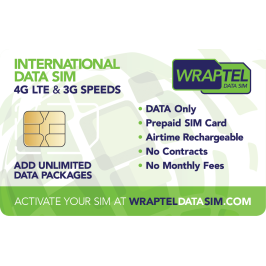
The WraptelDataSIM International Data SIM Card can be used in supported unlocked phones, cellular tablets, and compatible travel routers.
A travel router with an active Data SIM Card can provide a Wi-Fi connection for compatible devices, allowing laptops and tablets to share mobile data without depending on a smartphone hotspot.
Router compatibility and configuration requirements vary. Some devices require manual APN or mobile-network configuration, and not every router supports every destination's network frequencies.
Review your device manufacturer's instructions and the WraptelDataSIM Operating Instructions before travelling.
Can You Use WraptelDataSIM with Smartwatches and Other Smart Devices?
eSIM technology is also used in smartwatches, connected vehicles, and other electronic devices.
However, the presence of eSIM hardware does not mean every device supports every travel eSIM provider.
Some smartwatches require specific cellular plans, companion-phone arrangements, or activation methods that differ from those used by phones and tablets.
Likewise, certain connected vehicles and specialised IoT devices use manufacturer-managed connectivity services or restricted mobile-network profiles.
Do not assume that a WraptelDataSIM International Data eSIM is compatible with these devices solely because they contain eSIM hardware.
For international travel, compatible smartphones, cellular tablets, and supported laptops are the most practical starting points. Device-specific requirements should always be confirmed before purchasing.
Choosing a Prepaid Data Plan for Tablets and Laptops
The right Data Plan depends on your destination, travel duration, and how you expect to use your connected devices.
Tablets and laptops may consume more data than a smartphone, particularly when downloading large files, synchronising cloud storage, watching video, or running background applications.
Fixed Data Plans
Fixed Data Plans provide a specified amount of high-speed data for the plan's validity period.
They can be a practical choice when your expected usage is reasonably predictable.
For example, you might use a tablet primarily for maps, messaging, email, and occasional browsing while travelling.
Fixed Data Plans remain available until the included data is consumed or the validity period ends, whichever occurs first.
Unlimited Data Plans
Unlimited Data Plans can be useful when your daily data needs vary or you prefer continued mobile-data access throughout the selected plan duration.
Most WraptelDataSIM Unlimited Data Plans provide a high-speed data allowance for each 24-hour period.
After the allowance is used, unlimited data remains available at managed speeds until the next 24-hour period begins, when the high-speed allowance becomes available again.
If you expect to use a laptop for video meetings, cloud files, and hotspot sharing, consider the selected plan level's high-speed allowance when choosing your Data Plan.
Review the Fair Usage, Activation & Expiry Policy for additional details.
Using Tablets and Laptops on Multi-Country Trips
Travelling between multiple countries may require a Data Plan that covers every destination where you expect to use mobile data.
The WraptelDataSIM International Data eSIM supports eligible prepaid Data Plans across 150+ countries, but coverage is determined by the specific Data Plan you select.
For example, an eligible regional Data Plan may cover several countries on the same itinerary, allowing the installed eSIM to remain in place as you travel between supported destinations.
Network partners, available cellular technologies, and performance can vary by country and location.
Before departure, confirm that your selected Data Plan includes your intended destinations and that your tablet or laptop supports the relevant mobile-network technologies.
If your itinerary changes, check whether the active Data Plan includes any additional countries before relying on mobile connectivity there.
Practical Tips for Using Mobile Data on Multiple Devices
A little preparation can help you manage connectivity more efficiently when travelling with a phone, tablet, and laptop.
- Check compatibility first: Confirm the cellular capabilities of each device before purchasing an eSIM or SIM Card.
- Choose your primary connection: Decide whether you need direct cellular access on a tablet or laptop, or whether smartphone hotspot will be sufficient.
- Manage background downloads: Review software updates, cloud synchronisation, and automatic backups when using prepaid mobile data.
- Prepare essential files: Download documents, entertainment, and offline maps when a suitable connection is available.
- Monitor data consumption: Consider the combined usage of all devices sharing a hotspot or router connection.
- Keep devices charged: Mobile-data and hotspot use can affect battery life during longer travel days.
- Keep your eSIM installed: Do not delete your WraptelDataSIM eSIM after a trip if you intend to reuse it.
Reuse Your Travel eSIM for Future Trips
One advantage of the WraptelDataSIM International Data eSIM is that it can be reused for future trips on the same compatible device.
After returning from a trip, keep the eSIM profile installed. When you travel again, you can add another eligible prepaid Data Plan through your online account.
The WraptelDataSIM eSIM expires after one year of inactivity, and purchasing another eligible Data Plan extends its validity for another year.
This can be convenient for frequent travellers who use the same phone, tablet, or compatible laptop across multiple international trips.
Frequently Asked Questions
Can I use a travel eSIM on an iPad?
Yes, on compatible iPad models with cellular and eSIM support, provided the device and intended mobile service are compatible. Wi-Fi-only iPads cannot install a cellular eSIM for direct mobile-network access, but they can connect through a compatible smartphone hotspot.
Can I install a travel eSIM directly on my laptop?
Some laptops support direct eSIM installation through built-in cellular hardware. Compatibility depends on the specific model, modem, operating system, and supported provider. If your laptop does not support a compatible cellular eSIM, you may be able to use a smartphone hotspot instead.
Can I use the same WraptelDataSIM eSIM on my phone and tablet?
No. A WraptelDataSIM eSIM profile is non-transferable and can be installed on only one device. To connect a second device independently, you need a separate eligible eSIM or SIM Card and Data Plan. Alternatively, you can share one device's mobile-data connection through hotspot on compatible devices.
Can my laptop and tablet share my phone's travel mobile data?
Yes. Hotspot and tethering are supported with WraptelDataSIM on compatible devices. Your laptop and tablet can share the phone's active mobile-data connection, and their combined usage counts toward the same Data Plan.
Choose the Right Mobile Data Setup for Your Trip
Travelling with multiple connected devices does not necessarily mean purchasing a separate eSIM for every device.
A compatible tablet or laptop may connect directly through its own eSIM, while a smartphone hotspot or physical Data SIM Card in a supported travel router can provide shared internet access for other devices.
Before travelling, confirm device compatibility, choose a connection method that suits your needs, and select a prepaid Data Plan covering your destinations.
Explore the reusable International Data eSIM or International Data SIM Card for prepaid mobile data during international travel, with eligible Fixed and Unlimited Data Plans, hotspot support, and no contracts, subscriptions, or monthly fees.