Connecting Your Domestic Home SIM Phone Number to WhatsApp and Using Wraptel for Data
Using WhatsApp while traveling has become essential for staying connected with family, friends, and colleagues. However, high roaming charges and unreliable local networks can make this challenging. Wraptel offers a reliable and cost-effective solution, allowing you to use your domestic home SIM number on WhatsApp while leveraging Wraptel’s global data services. This combination ensures that you can maintain seamless communication, control data usage, and avoid exorbitant fees no matter where you are in the world.
Setting Up WhatsApp with Your Domestic SIM
Connecting your domestic SIM number to WhatsApp is straightforward, ensuring that your contacts can reach you without needing to know your travel number. To start, download WhatsApp on your device if you haven’t already. During the setup process, WhatsApp will prompt you to enter your phone number. This is where you input your domestic SIM number. You’ll then receive a verification code via SMS or call, which you must enter to confirm your number.
Once verified, your WhatsApp account will be linked to your home number, allowing you to send and receive messages, calls, and media just as if you were still in your home country. It’s important to keep your original SIM in your phone until the verification process is complete. Afterward, you can switch to a local SIM or a Wraptel SIM for data, while still using WhatsApp with your home number.
This setup is particularly useful for travelers who want to avoid changing their contact information while abroad, maintaining the convenience and familiarity of their primary phone number.
Overview of Wraptel and Its Data Plans
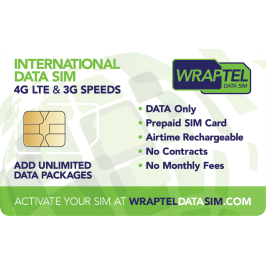
Wraptel offers a range of global SIM and eSIM solutions designed to keep you connected anywhere in the world. Whether you’re a frequent traveler, a digital nomad, or simply on a short vacation, Wraptel provides data plans that fit your needs. With coverage in over 150 countries, Wraptel eliminates the hassle of buying local SIM cards or dealing with expensive roaming charges.
Wraptel’s plans are flexible, offering both unlimited and fixed data options. The unlimited data plans are ideal for heavy users who rely on constant connectivity for work or personal use, while the fixed data plans provide a cost-effective solution for those with moderate data needs. All plans are designed to offer seamless connectivity, ensuring that you can use apps like WhatsApp without interruption.
What sets Wraptel apart is its eSIM technology, which allows you to download a SIM directly to your phone without needing a physical card. This is particularly useful for modern smartphones that support dual SIM, enabling you to keep your domestic SIM active while using Wraptel for data. Additionally, Wraptel’s user-friendly app lets you monitor your data usage, top up your plan, and manage your account from anywhere in the world.
How to Use WhatsApp with Wraptel Data
Using WhatsApp with Wraptel data is as simple as setting up your SIM card and configuring your device to use Wraptel for data while traveling. After setting up WhatsApp with your domestic SIM number, switch to a Wraptel SIM or eSIM for data connectivity. If your phone supports dual SIM, you can keep your domestic SIM active for calls and texts while using Wraptel for data.
To ensure that your phone uses Wraptel for data, go to your device’s settings and select Wraptel as the default data SIM. This will route all your internet activities, including WhatsApp, through Wraptel’s network. This setup allows you to stay connected on WhatsApp with your home number, even when you’re in a different country.
Using Wraptel data, you can enjoy the full range of WhatsApp features, including messaging, voice calls, and video calls, without worrying about data costs. Wraptel’s global coverage ensures that you have a stable and fast connection in most parts of the world. Additionally, Wraptel’s plans are designed to handle the data-intensive activities associated with WhatsApp, ensuring that you can communicate effectively without running out of data.
Understanding WhatsApp Data Usage
- Voice Calls: WhatsApp voice calls use approximately 0.15 to 0.5 MB of data per minute, depending on the quality of the connection. This can vary based on whether you’re on a 3G, 4G, or 5G network. For instance, a 10-minute voice call may consume anywhere from 1.5 MB to 5 MB of data.
- Text Messaging: Sending a basic text message without any media consumes about 0.01 MB of data. This means you can send around 100 messages for just 1 MB of data. However, if you’re sending images, videos, or documents, the data consumption increases. A photo can consume between 0.3 MB and 5 MB, depending on its quality, while a video can consume several megabytes to even a few gigabytes, depending on its length and resolution.
- Video Calls: Video calls are significantly more data-intensive. A standard quality video call on WhatsApp uses about 5 to 12 MB of data per minute. If you’re making a video call in HD quality, the data usage can go up to 20 MB per minute. For instance, a 10-minute HD video call could use as much as 200 MB of data.
- Media Sharing: Sharing photos, videos, and documents also contributes to your data usage. The size of the media files directly affects how much data is consumed. For example, a high-resolution photo might use up to 5 MB, while a short video clip could use several megabytes.
Data Usage Comparison Table
Managing and Optimizing Data Usage with Wraptel
- Monitor Your Data Usage: Wraptel’s app provides real-time data usage tracking, allowing you to see how much data you’ve consumed and how much you have left.
- Limit Automatic Media Downloads: By default, WhatsApp may automatically download media files like photos, videos, and documents. To reduce data usage, change the settings to only download media when connected to Wi-Fi. This prevents large files from eating into your mobile data allowance.
- Prefer Voice Calls Over Video: Since video calls consume significantly more data than voice calls, try to limit the length and frequency of your video calls. Opt for voice calls instead, which are more data-efficient.
- Use Wi-Fi Whenever Possible: When you’re in a location with Wi-Fi, switch to it for WhatsApp activities that require more data, like video calls or downloading large media files. This helps preserve your Wraptel data for times when you’re truly on the go.
- Enable Data Saving Features: WhatsApp has a “Low Data Usage” option for calls, which reduces the amount of data consumed during voice and video calls. This feature is especially useful if you’re on a limited data plan.
By following these tips, you can make the most out of your Wraptel data plan, ensuring that you stay connected without exceeding your data limits.
Cost-Effectiveness of Using Wraptel for WhatsApp
Using Wraptel for your WhatsApp communication offers a significant cost advantage over traditional roaming services. Traditional roaming often comes with exorbitant fees, particularly for data usage, which can quickly add up when using data-intensive apps like WhatsApp.
Wraptel, on the other hand, provides data plans that are tailored to the needs of travelers. Whether you’re using a fixed data plan or an unlimited option, Wraptel ensures that you have the data you need at a fraction of the cost of traditional roaming. For example, a frequent traveler using WhatsApp for daily communication can save hundreds of dollars by opting for Wraptel’s unlimited data plan compared to using their home carrier’s roaming service.
Moreover, Wraptel’s transparent pricing and easy-to-manage plans make it simple to avoid unexpected charges. You pay only for the data you use, with no hidden fees or surprise bills at the end of your trip. This makes Wraptel an ideal choice for budget-conscious travelers who want to stay connected without breaking the bank.
Troubleshooting Common Issues
While using Wraptel’s services with WhatsApp is generally seamless, you may occasionally encounter connectivity issues or experience higher-than-expected data usage. If your WhatsApp connection seems unstable, check that your Wraptel SIM is correctly set as the default data SIM on your device. Additionally, ensure you have a strong signal or move to an area with better reception.
If you notice rapid data consumption, review your WhatsApp settings to disable automatic media downloads and reduce the video call quality. You can also monitor data usage through the Wraptel app to ensure you stay within your plan limits.
If you continue experiencing issues, Wraptel’s customer support is available to help troubleshoot any problems and ensure that your WhatsApp usage remains smooth and cost-effective.
Conclusion: WhatsApp with Wraptel data
Using your domestic SIM number on WhatsApp while relying on Wraptel for data is a smart way to stay connected while traveling. It allows you to avoid the high costs of traditional roaming while enjoying seamless communication through a familiar platform. By understanding how WhatsApp consumes data and managing your usage efficiently with Wraptel, you can ensure that you remain connected to what matters most without worrying about excessive charges or connectivity issues.
Whether you’re making voice or video calls, sending messages, or sharing media, Wraptel’s flexible data plans provide the coverage and reliability you need to use WhatsApp with confidence, no matter where your travels take you.
Stay connected globally with Wraptel``s reliable and affordable data eSIM or SIM card solutions—order yours today!
Further Reading
To deepen your understanding of using global data SIMs, optimizing WhatsApp data usage, and exploring the benefits of eSIM technology, consider exploring the following article:
- TechCult provides a detailed guide on how to use WhatsApp internationally with your existing domestic phone number. As long as you maintain an active internet connection via Wi-Fi or mobile data, you can keep using WhatsApp without incurring charges for international calls or messages. The app relies on VoIP, which means that your domestic phone number stays connected to WhatsApp even when using a different data source, like Wraptel. To avoid extra costs, using a reliable data connection, such as Wraptel’s data plans, ensures that you can make voice or video calls without worrying about roaming fees .