Maximizing Your Smartphone Battery Life While Traveling: Essential Tips for Data and Device Management
Published: 11/11/2024
Traveling brings excitement, exploration, and a need to stay connected on the go. However, when constantly using your smartphone to navigate, communicate, and capture memories, battery drain can be a significant issue. Keeping your device charged and your data managed efficiently is essential to making the most of your journey. Here at Wraptel, we understand that seamless connectivity paired with smart device management is crucial, especially when you’re miles away from home.
Wraptel’s SIM and eSIM options ensure uninterrupted connectivity and flexible data plans, but maximizing your smartphone’s battery life goes beyond just switching to an efficient data service. Understanding how data management and battery settings interact can help you make better use of your smartphone while keeping it charged longer. In this guide, we’ll walk through essential tips on conserving battery, managing data, and making the most of your Wraptel data SIM or eSIM plan to stay connected without worrying about constant charging or unexpected data expenses.
Key Takeaways
- Optimize Battery Settings: Utilize power-saving modes, reduce screen brightness, and limit app notifications to conserve battery life while traveling.
- Manage Data Usage: Use Wraptel SIM/eSIM plans to avoid roaming costs and reduce battery drain by switching data plans seamlessly.
- App Control: Identify and limit high-drain apps, use “Lite” versions, and disable background data for non-essential apps.
- Connectivity Strategies: Connect to Wi-Fi where possible and download offline content to minimize data use and extend battery life.
- Travel Preparation: Carry a portable charger, turn off data during long trips, and prioritize essential devices to stay powered and connected on the go.
Turning on airplane mode while not needing cellular service can greatly save your battery life, even while using Wi-Fi. Simple tricks like this can keep you connected on the go! #BatteryLife #TravelTips #SmartphoneHacks
Understanding Battery Drain: Common Causes While Traveling
Several factors contribute to rapid battery drain when traveling. Recognizing these causes can help in adjusting your device settings accordingly to ensure longer battery life.
- Poor Network Signal: When moving between locations, your smartphone often struggles to maintain a consistent network connection, especially in areas with spotty signal coverage. This constant network search consumes a substantial amount of power, as your device works harder to find a stable connection.
- Roaming and Cellular Data Usage: Roaming increases battery consumption as your phone continuously seeks connectivity, which is intensified if data services are active. Even a strong cellular signal can drain the battery faster if roaming data is in heavy use.
- High Data Consumption Activities: Streaming, using GPS navigation, video calls, and other data-heavy activities not only increase data consumption but also put significant demand on your battery. The more intensively you use these services, the faster your battery will drain.
- Background Processes and Syncing: Apps that continue to run in the background, especially those that use location services or constantly sync data, also consume battery. For example, apps like Maps, social media, or email can drain your device when they constantly update or track your location.
By being mindful of these factors, you can start taking steps to reduce battery drain and data usage while traveling.
Essential Battery-Saving Settings on Your Smartphone
To maximize battery life on the go, make use of your smartphone’s built-in battery-saving features. These small adjustments can make a big difference.
- Power-Saving Mode: Enabling power-saving mode can limit background data and reduce performance slightly to save battery. This mode is ideal when you are running low on battery and don’t need high-performance features.
- Lower Screen Brightness: Your screen is a major battery consumer, especially at high brightness levels. Adjust the brightness manually or use auto-brightness to adapt it to your environment.
- Turn Off Unnecessary Notifications: Limit notifications from non-essential apps to prevent constant lighting up of your screen and reduce background data usage. This is particularly useful when data is limited, as Wraptel’s flexible plans can help reduce unnecessary notifications that lead to data surges.
- Airplane Mode: When you don’t need cellular service, activating airplane mode can dramatically reduce battery drain by stopping the constant search for a network. You can still use Wi-Fi while in airplane mode to stay connected without consuming cellular battery.
- Disable Location Services: Apps that use GPS and location services consume battery constantly. Disable location services when they are not needed, or set them to “While Using the App” to avoid unnecessary battery loss.
By making these small adjustments, you can prolong your smartphone``s battery life significantly, ensuring you stay connected and powered up throughout your trip.
Using Data Wisely with Wraptel SIM/eSIM Options
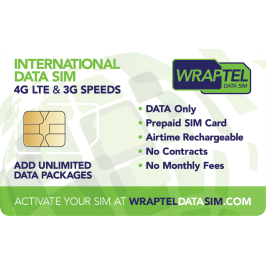
Wraptel’s SIM and eSIM solutions are designed for travelers who need reliable and efficient connectivity without the high costs associated with traditional roaming. Choosing the right data solution also contributes to battery life management.
- Data SIM vs. Roaming: Traditional roaming can lead to excessive costs and battery drain, especially in regions with weak signals. Wraptel’s data SIMs are optimized for global use, allowing you to stay connected without the hassle of high roaming costs or sudden data drops.
- eSIM Convenience: Wraptel’s eSIM technology allows travelers to switch between different data plans without needing to swap physical SIM cards. This seamless switch between plans helps reduce network-search related battery drain when moving across regions.
- Balancing Wi-Fi and Mobile Data: Where possible, connect to secure Wi-Fi networks rather than relying solely on mobile data. This not only helps manage data usage but can also significantly reduce battery consumption.
By selecting the right Wraptel data plan based on your destination, usage, and duration of stay, you can strike an ideal balance between battery efficiency and uninterrupted connectivity.
Essential Tips for Managing Apps to Reduce Data and Battery Drain
Apps can be a major source of battery drain and data usage, especially when they run in the background or sync data frequently. Here’s how you can optimize app settings for better battery life:
- Identify High-Drain Apps: Some apps consume more battery and data than others. You can check battery settings on your smartphone to see which apps are using the most energy and restrict their background activity.
- Use Lite Versions: Many apps offer “Lite” versions that are designed to consume less data and battery. These versions have a smaller data footprint and fewer features, ideal for travelers looking to conserve resources.
- Disable Background Data and Notifications: Restricting apps from using background data prevents them from constantly updating and draining battery. Only enable background data for essential apps like messaging or Maps, where immediate notifications might be necessary.
- Efficient Use of Maps and Navigation: GPS-based navigation apps are essential for travel but can quickly deplete your battery. Download offline maps to reduce data use and only enable GPS when actively navigating.
Managing your apps with these methods helps keep both data and battery in check, allowing your device to last longer between charges, even in unfamiliar places.
Practical Tips to Extend Battery Life for Travel Days
On days when you’re frequently on the move, these strategies can help extend your smartphone’s battery life:
- Turn Off Data on Flights and Road Trips: During flights or long drives where Wi-Fi and cellular service are inaccessible or unnecessary, turning off data can help save power. For extended travel, consider a portable power bank as an additional battery backup.
- Prioritize Battery-Powered Accessories: Use Wraptel’s data plans to manage your primary device, and limit connectivity on secondary devices (like tablets) to save on overall battery and data use.
- Portable Chargers and Power Banks: Keep a portable charger with you, especially when your phone will be in use all day. This ensures you have a backup charge without needing to search for a power source in transit.
With these strategies, you can avoid being caught off-guard by a low battery and stay connected through Wraptel’s extensive data options.
Managing Connectivity to Balance Data Usage and Battery Life
Smart data management can prevent battery drain while ensuring you stay connected. Choosing the right data plan with Wraptel based on your travel needs can help maintain your battery efficiently.
- Unlimited Data Plans: For those who rely on heavy data use, Wraptel’s unlimited plans allow flexibility without risking a data cap. Unlimited plans prevent sudden spikes in data usage that may otherwise lead to battery drain through high-speed data consumption.
- Mobile Hotspot: For multi-device use, Wraptel’s data SIMs allow you to turn your phone into a hotspot, sharing connectivity with multiple devices without requiring individual data plans for each. Use it strategically to minimize battery drain by disabling the hotspot feature when not in use.
With Wraptel’s data options, balancing battery efficiency and data management becomes simple, ensuring connectivity without the frequent need for a charger.
Data-Saving Techniques for Frequent Travelers
Conserving data is an important part of battery management, as excessive data use drains both your data allowance and battery life. Here are some data-saving techniques that can help:
- Download Offline Content: Download maps, playlists, and other content offline in advance. This minimizes the need to stream or download during travel, saving both data and battery life.
- Disable Auto-Updates: Prevent apps from updating automatically when on mobile data. Instead, update them over Wi-Fi before your trip to avoid high data and battery consumption.
- Reduce Data-Intensive Activities: Activities like video streaming, live posting, and cloud backups consume significant data. Save these activities for when you have a Wi-Fi connection to preserve data and extend battery life.
These methods, combined with Wraptel’s flexible plans, ensure you stay connected while managing data usage wisely.
Using Wraptel Data Plans for Cost and Battery Efficiency
Wraptel offers a range of data plans designed to meet the unique needs of travelers, and selecting the right plan can contribute to both cost and battery efficiency.
Selecting the appropriate Wraptel data plan ensures you’re using a service tailored to your travel needs, limiting excessive data consumption and helping maintain battery life.
Conclusion: Smartphone Battery Life While Traveling
Travelers depend on their smartphones for everything from navigation to communication, making battery management and data efficiency vital.
Wraptel’s SIM and eSIM solutions offer a flexible and affordable way to stay connected without draining your battery or depleting data limits. Through careful settings adjustments, efficient data plans, and battery-conscious usage, you can make the most of your device while traveling.
By choosing Wraptel for your travel data needs, you gain access to international connectivity without the common pitfalls of roaming costs or excessive battery drain. Safe travels, and enjoy your seamless connectivity with Wraptel!
Stay connected effortlessly while traveling with Wraptel’s reliable SIM and eSIM plans – explore our flexible data solutions today!
Further Reading
Explore these informative articles to deepen your understanding of data management and battery-saving tips for your smartphone while traveling:
- How Much Data Does a GPS Use?: Discover insights on how GPS technology consumes data and practical tips for minimizing data usage while leveraging navigation features efficiently.
- 12 Essential Android Settings to Improve Battery Life: Learn practical tweaks for Android smartphones that can help you drastically improve battery life without sacrificing performance.